Written by:
Shabnam Katoch
Marketer at Headshot Photo
Table of contents:
 The 8 Tools at a Glance
- What are AI Headshot Generators?
- How Much Do LinkedIn Headshots Cost?
- Why you can trust us
- How We Judged Every AI Headshot Tool
- Our Top Pick Headshot Photo (Price $34 for 40 Headshots)
- Headshot Photo Honest Review
- Runner Up HeadshotPro ($29 for 30 Headshots)
- HeadshotPro Results
- Also Great InstaHeadshots (now Magic Studio)
- Instaheadshots Results
- 5 More AI Headshot Generators
- A Lighter Option Worth Knowing About
- How accurate are AI Headshot Generators?
- What is the Best AI Headshot Generator?
- Best AI Headshot Generator for LinkedIn
- FAQs
Best AI Headshot Generators (2026): 8 Tools Compared
Hands-on testing: February 2026. Prices checked: October 2026 (USD).
Last Updated: October 28, 2026


This guide compares the best AI headshot generators on price, headshot count, turnaround and realism, with every price in US dollars. An AI headshot generator trains on a handful of your selfies and returns a set of professional headshots. Headshot Photo publishes this comparison; we've included our own product and kept the same criteria for every tool.
Three tools (Headshot Photo, HeadshotPro and InstaHeadshots) were tested hands-on with the same selfies. The other five (Aragon AI, BetterPic, Dreamwave, PortraitPal and Secta Labs) are compared on their published plans, so the comparison table covers all eight.
You know those insanely good LinkedIn headshots you scroll past, the ones that look like they spent half a day in a studio?
Most people look at a great LinkedIn photo and think, "Wow, this must've been expensive. I don't have the time or energy for a full photoshoot."
So we do what everyone does. We open our phone gallery and start scrolling, hoping to find that one picture that could somehow work as a LinkedIn headshot. And honestly... why are we still doing that?

Here's the fun twist:
- Half of those polished LinkedIn photos weren't shot in studios at all.
- They were created at home, in about 1 hour, for less than $50.
Yep, AI headshots.
And no, not those sloppy, over-smoothed, plastic-looking ones that distort your face.
The newer, better tools learn your real features and return studio-quality pictures without a photographer booking.
AI has leveled up.
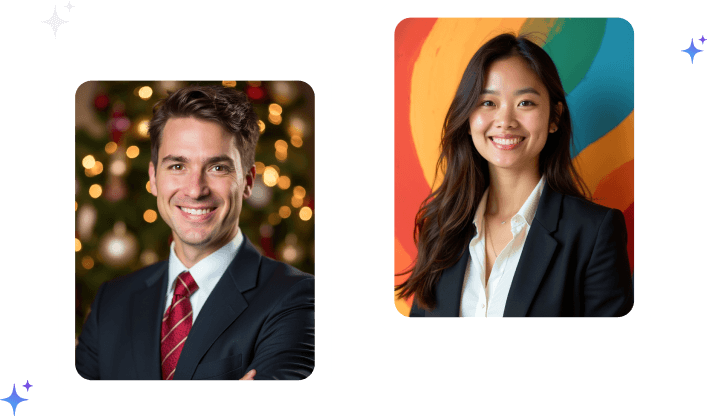
The before/after below shows a real selfie next to AI headshots generated from it.
The 8 Best AI Headshot Generators at a Glance
Entry-level one-time plans, in USD, as listed on each vendor's pricing page in October 2026. Prices change often, so confirm on the vendor's site before you buy.
| Tool | Entry price (USD) | Headshots | Turnaround | Best for |
|---|---|---|---|---|
| Headshot Photo | $34 | 40 | About 1 hour | Likeness and usable photos per batch (our own product) |
| HeadshotPro | $29 | 30 | About 2 hours | Formal, studio-style lighting |
| InstaHeadshots (now Magic Studio) | Check current pricing | 50 | About 1 hour on Starter | Natural skin texture, preview before paying |
| Aragon AI | $35 | 40 | About 45 minutes | Fast delivery on the entry plan |
| BetterPic | $35 (free plan available) | 20 | About 2 hours | Trying a free batch first, 4K output |
| Dreamwave | $35 | 40 | Not stated per plan | Teams (150 photos per user on team package) |
| PortraitPal | $35 | 20 | Same day | Simple, career-focused packs |
| Secta Labs | Check current pricing | 100+ | Under 2 hours | Large batches across many styles |
What are AI Headshot Generators?
AI headshot generators work by teaching an AI model who you are using your selfies.

When we start, the model doesn't know you at all. So a prompt like "a [xyz] headshot of a woman" just gives a completely random woman, because [xyz] is just a meaningless code.
Then, when you upload your selfies, the model slowly learns:
"Okay, this random code [xyz] = YOU."
That's the training part.
Once the model understands that code represents your face, it can generate headshots that look like you.
And yes, the quality of your selfies matters a lot, more than most people assume.
If you upload photos with caps, heavy shadows, weird angles, or with plants covering half your face… the model thinks those things are part of "you" and might start adding them into AI headshots.
So in simple terms:
Good selfies = clean, accurate learning = clean, realistic headshots.
Bad selfies = confused learning = weird output.
How Much Do LinkedIn Headshots Cost?
Global Headshot Pricing (approximate, in USD)
| Region / Country | Typical Price Range | Notes |
|---|---|---|
| United States | $230 - $300 | Highest in NYC, San Francisco, LA due to studio rent + demand |
| United Kingdom | $200 - $470 | London pushes the higher end |
| Canada | $145 - $255 | Standard studio sessions in major cities |
| Australia | $100 - $200 | Sydney & Melbourne are on the higher side |
| Germany / Western Europe | $165 - $330 | Costs rise in places like Berlin & Munich |
| India / Southeast Asia | $35 - $120 | Varies heavily by city tier + studio reputation |
Professional headshot prices vary a lot depending on the region, the photographer's experience, and whether it's a studio or on-location shoot. Big cities almost always cost more because of higher rents and demand. Even in places like India or Southeast Asia, the price changes significantly based on the studio and the city tier.
With so many variables, rent, photographer seniority, retouching, makeup, extra outfit changes, and whether it's in-studio or on-location, headshots end up being one of the most location-sensitive services in photography.
This is exactly why AI headshots feel like a breath of fresh air. The savings are great, but the real win is the convenience: upload your selfies from your couch in your pajamas, and by lunchtime you're browsing dozens of professional-looking AI headshots , no studio stress, zero effort. Entry plans from the eight tools below run $29 to $35, against roughly $230 to $300 for a US studio session.
AI Headshot Generators we recommend
Our Top Pick

Produced the highest number of accurate, natural-looking headshots in our test, with no obvious AI artifacts.
Fastest results too, with 8 selfies turning into multiple usable photos in about 1 hour.
Runner Up

The photos looked very studio-like and professional, but the expressions leaned serious.
Great quality overall, though less warm and less consistently accurate than our top pick.
Also Great

The most natural skin texture of the three, and the photos looked very real at first glance.
A few inconsistencies showed up on closer look, but the best images were genuinely nice.
Why you can trust us
Headshot Photo is an AI photo studio that's been around since 2024. All we do is AI headshots: 1.4 million+ headshots generated for 14,239 professionals. Here's what we stand for:

Enterprise-Grade Security
Your images are processed in an ISO-certified, secure environment.

Privacy First
Photos auto-delete. Your data stays yours.

No AI Training, Ever
We don't use your images to train our models.

Full Ownership
Every headshot we generate belongs 100% to you.
We know it's natural to wonder if we might be biased since we also run an AI headshot generator. That's why the three tools we tested hands-on were paid for, run on the same selfies, and judged on the same checklist. The other five are compared on their published plans only, and we say so in each entry.
- If another tool does something better, we'll say it.
- You'll see real examples from every generator we tested hands-on.
- We paid for every tool we tested.
- Every price is in USD, checked on the vendor's own pricing page.
How We Judged Every AI Headshot Tool

Onboarding Experience
Was the process simple? Did the tool actually guide you, or did it leave you confused?

Photo Quality
Do the images look like real, professionally shot headshots — clean lighting, sharp details, natural skin?

Likeness & Consistency
Does the AI actually capture your face accurately? And does it stay consistent across all photos?
.png)
Realism (No AI Weirdness)
Are there any strange artifacts, extra fingers, distorted faces, or odd backgrounds? Or does everything look natural?

Speed & Reliability
How long does it take to get the results? And does the tool work smoothly, without errors or failed generations?

Value for Money
Do you walk away feeling, "Yep, this was worth it"? Or do the results fall short of the price?
We ran the three hands-on picks on the exact same set of selfies. That's important because your input photos make a huge difference in how good your AI headshots turn out. If your selfies are clear, bright, and show your face properly, the AI does a much better job. If they're dark, blurry, or full of background noise, the results can look off.
By using the same photos for each tool, we could actually compare them fairly. This way, whatever difference you see in the results is because of the tool, not the selfies we used.

Our Top Pick
(Price $34 for 40 Headshots)
Plans: Basic $34 for 40 headshots, Premium $39 for 80 headshots, Enterprise $59 for 100 headshots, ready in about 1 hour. This is our own product, so weigh the verdict below with that in mind.
Our top pick, Headshot Photo produced the AI headshots we were most likely to use in the tools we tried. The headshots came out surprisingly clean and sharp, with lighting that looked natural instead of artificial. The clarity felt pretty close to what you'd get from an actual studio photo. And the best part is that we didn't spot any obvious AI weirdness or that super-smooth, plastic skin effect you usually see in lower-quality tools. The output looked balanced and suitable for professional use.
See how the AI headshot generator works, or see Headshot Photo pricing .

What stood out in Headshot Photo:
Realistic, high-quality output
The photos had strong detail, even lighting, and a professional finish without looking over-edited.
Natural poses
The angles and facial expressions looked relaxed and photogenic instead of stiff or obviously AI-generated.
Option to choose outfit
Unlike many tools that randomize clothing, this one lets you pick the type of outfit you want. The replication wasn't perfect every time, but it was close enough to feel intentional.
Consistent likeness across photos
The facial features stayed accurate from one style to another, which gave a reliable sense of identity.
Good color balance and lighting
The photos looked polished and bright without crossing into an artificial look.
Headshot Photo Honest Review
Headshot Photo was run through the same selfies and checklist as every other tool we tested hands-on. Because we make it, this section sticks to what can be checked: setup, delivery time, options and how many photos were usable.
Onboarding was simple. It asks for 8 clear selfies, fewer than the 10 to 15 the other tested tools asked for, and setup took around 4 minutes.
The headshots were ready in about 1 hour.
There's also a lot of choice. You get 100+ backgrounds and 50+ outfit options. The AI mixes them, so you can pick from multiple looks like clear studio shots, modern office settings, or simple professional backdrops.

Even with the usual AI variation, the test batch included several photos that were genuinely good enough for LinkedIn, resumes, company profiles, and any professional space. The images looked natural and sharp, with accurate facial features, real-looking skin texture, and clean lighting. There were no plastic effects and no strange AI mistakes.
In short: the process is simple, and the output is usable, photorealistic headshots without a studio visit. The trade-off is time on the Basic plan; if you need photos within the hour, Enterprise is the plan to pick.

Runner Up
($29 for 30 Headshots)
Plans: Basic $29 for 30 headshots (about 2 hours), Professional $39 for 50 (about 30 minutes), Executive $59 for 70 (about 15 minutes). See how it stacks up in our HeadshotPro alternatives guide.
In our testing, HeadshotPro delivered clean, studio-style results with polished lighting and professional-looking backgrounds. The images generally looked sharp and well-framed, and the overall output felt suitable for LinkedIn or corporate use. There were a few variations in expression and facial softness, but the best photos were sharp and visually consistent.
What stood out in HeadshotPro:
Realistic, professional finish
Most photos had a clean, studio-shot look with soft lighting and a well-balanced background that made the headshots appear polished.
Structured and confident poses
The positioning and framing looked intentional. The expressions leaned more toward serious and authoritative rather than warm or friendly, which may work well for certain roles.
Consistent background and lighting quality
HeadshotPro handled indoor office-style setups effectively and cleanly, delivering evenly lit, stable backgrounds across the set.
Limited outfit selection
Unlike other tools that offer many outfit choices, HeadshotPro only allowed 2 outfits for the entire batch. It worked, but the options felt more restricted compared to other generators.
Accurate likeness with minor variations
The face generally stayed recognizable, although a few photos made the features look slightly broader or more refined than real life.

HeadshotPro Results
The process took a bit of time. HeadshotPro needed at least 15 photos to begin with, and on the Basic plan the results took around 2 hours to generate. Downloading was less direct than elsewhere: instead of downloading in the app, you get a link by email.

The actual headshots look very professional, with a genuine studio-shot feel, clean lighting and polished backgrounds. Expressions came out more serious and authoritative than warm, which suits some roles (law, finance, executive bios) better than client-facing ones. A couple of photos made the face look slightly broader than in the source selfies.
HeadshotPro promises at least one keeper, and the test batch did include one photo good enough to use. The overall quality is good; softer expressions would have made more of the set usable.
In short, the quality is strong and very studio-like, but the workflow could be smoother and the expressions lean formal.

Also Great
(now Magic Studio)
InstaHeadshots now runs as Magic Studio, which prices its packs by region and does not publish one USD price, so check current pricing on its site. When we tested it, it charged $49. Read our Headshot Photo vs InstaHeadshots comparison for a side-by-side.
In our testing, InstaHeadshots (now part of Magic Studio) offered a quick and simple flow, requiring 10 photos and delivering the results in about an hour. The preview feature was helpful, even though it came with a watermark. The overall output had a friendly, approachable feel, and the skin texture looked impressively natural rather than over-smoothed. However, a closer look at the final downloads revealed a few inconsistencies and small deformities that were not noticeable during the preview stage.
What stood out in InstaHeadshots:
Natural-looking skin and hair
The tool did a very good job preserving real texture. The skin didn't look plastic or overly edited, and natural blush and hair patterns showed up clearly.
Warm and approachable expressions
Several headshots captured a pleasant, natural expression that felt friendly and professional. Some images drifted slightly in tone, but overall the vibe leaned warm.
Good variety of background styles
From outdoor greenery to softly lit indoor scenes, the backgrounds brought variety without feeling random.
Fast generation time
The headshots were ready in around 1 hour, which makes the tool convenient for someone who wants results quickly.
Some accuracy variations
While many images looked close to real life, a few had minor distortions or facial adjustments that affected consistency across the batch.

Instaheadshots Results
Results from InstaHeadshots were mixed overall.
At the time of testing there was no choice of plan; checkout asked for $49. It needed at least 10 photos to start. The process was quick, with headshots ready in about 1 hour, and you can preview everything before paying, even if the previews carry a watermark. That still gives a general idea before you commit.

The real details showed up only after downloading. A few of the photos had small deformities or little inconsistencies that weren't visible in the preview. Some images looked very close to the source selfies, while others drifted slightly, which is normal for AI but still noticeable.
To give credit where it's due, it handled skin and hair really well. Faces didn't look oversmoothed at all. The skin texture looked very natural, makeup came through as it was actually worn, and the hair looked realistic instead of flattened or painted on. This part was genuinely impressive. The expressions varied a bit from photo to photo. Some looked warm and natural, and others felt slightly off, but overall the emotional tone wasn't bad.
So overall, InstaHeadshots is fast, easy to try, and really good at preserving natural texture. The main thing to keep in mind is that the accuracy and consistency can vary from shot to shot, so it depends on what you're personally looking for.

5 More AI Headshot Generators Worth Comparing
These five round out the list. We have not run them through the same selfie test as the three above, so the notes below come from each vendor's published plans (checked October 2026) rather than our own results.
Aragon AI ($35 for 40 Headshots)
Plans: Basic $35 for 40 headshots (about 45 minutes), Standard $45 for 60 (about 30 minutes), Executive $75 for 100 (about 15 minutes).
Aragon's entry plan is quicker than most competitors' entry plans, and the headshot count per dollar is in line with the category.
BetterPic ($35 for 20 Headshots)
Plans: a free plan with up to 10 headshots (queue-based), Basic $35 for 20 (about 2 hours), Pro $39 for 60 (about 1.5 hours), Expert $79 for 120 (about 1 hour).
The free plan is the main draw if you want to test the output before paying. The $35 entry plan gives fewer headshots than most tools at that price, so Pro is the better-value tier.
Dreamwave ($35 for 40 Headshots)
Plans: Starter $35 for 40 photos, Standard $45 for 60, Best Value $99 for 100. Turnaround is not stated per plan; the team package lists 150 photos per user with a 2-hour turnaround.
Dreamwave's individual pricing matches the category, and its team package is one of the more generous on photo count.
PortraitPal ($35 for 20 Headshots)
Plans: Quick Refresh $35 for 20 headshots, Career Upgrade $45 for 60, Executive Pack $75 for 100, all delivered the same day.
Simple packs aimed at job seekers. Like BetterPic, the entry plan is light on headshots, so the middle tier is where the value is.
Secta Labs (check current pricing)
Secta Labs is still active and sells a one-time Professional Package with 100+ HD photos across 7 styles, delivered in under 2 hours. It does not show a USD price publicly, so check current pricing on its site.
Secta suits people who want a large batch to choose from rather than a small curated set.
A Lighter Option Worth Knowing About
The eight tools above all work the same way: you upload a batch of photos, wait while a model trains on your face, and get back a set of dozens of images. That is the right approach when you need a full portrait session's worth of output. It is overkill when you need one usable photo before a meeting tomorrow morning.
Overchat AI covers that second case. You upload a single casual photo — a selfie, a candid, a cropped group shot — choose a style (LinkedIn, Studio, Outdoor, or Casual), and get an HD result back in seconds, with no watermark and no training queue to wait through. Access starts at $4.99, and a Google or Apple sign-in is required before you can download.
The trade-off is what you would expect. One source photo gives the model far less to work with than fifteen do, so you will not get the variety or the frame-to-frame consistency of a properly trained batch. It is a different tool for a different deadline, not a replacement for the eight compared above.
How accurate are AI Headshot Generators?
If you are using a good paid AI headshot generator the accuracy is honestly very impressive. The photos look so realistic that most people, including employers, cannot tell they were created by AI. They blend in perfectly with real studio photography. The skin texture looks natural, the facial features stay true to who you are, and the lighting feels professionally done. On resumes, LinkedIn profiles, or company websites, these headshots look completely believable and indistinguishable from real photos.
Free tools are a different experience. They often create images that look obviously AI-made. You will see things like overly smooth skin, odd face proportions, or weird lighting that doesn't match the background. They are fine for trying things out but not ideal for professional use.
So overall, AI headshots can be extremely accurate, but the quality depends heavily on the tool you choose. Paid services produce images that look like real photography, while free tools tend to show their limitations much more clearly.
What is the Best AI Headshot Generator?
The funny thing is, most AI headshot tools are built on very similar AI models. Many of them use versions of Stable Diffusion or custom fine-tuned models on top of it. These models cost money to run every time the tool generates a batch, which is why the pricing across the industry looks almost the same.
Because the underlying tech is similar, the quality between most good tools is about 90 percent similar. Where the difference really shows up is in how well the tool has been trained, how much feedback they've incorporated, and whether they use higher-quality model versions or cheaper ones to save costs. Some tools also charge extra simply because they spend more on marketing.
So the real question is not "Which tool has the best AI?"
It's "Which tool uses strong models, doesn't cut corners, and doesn't overcharge?"
And that's where you'll notice differences.
Some tools stand out because of their processing and refinements, not the base model. For example:
Headshot Photo delivered the highest number of accurately matched, usable photos in our test, with natural lighting and minimal distortions: around 6 to 7 genuinely usable photos out of 40. Body proportions and facial likeness held up, expressions were clear, and the final images had no distortions. A few shots looked slightly slimmer than the source selfies. Backgrounds and outfits can be edited afterwards.
It produces the most studio-like headshots in terms of lighting, backgrounds, and overall framing. The photos look very professionally lit. But the expressions weren't always spot-on. The face sometimes looked slightly broader, and a couple of shots added a double chin that wasn't in the source selfies. Great quality, but not always the most accurate.
InstaHeadshots (now Magic Studio) gives the most realistic skin texture. The face looks very close to your actual selfies and the details are impressive. But then, you sometimes see small distortions like squinted eyes or tiny shape inconsistencies. Very natural, but slightly unpredictable.
At the end of the day, almost every tool in this category sits in the same price range: entry plans from $29 to $35, and top individual tiers from $59 to $99.
So the "best" AI headshot generator isn't the one with magical technology.
It's the one that gives you:
- consistently accurate faces
- minimal distortions
- natural expressions
- good lighting
- and a fair price
Everything else is personal preference.
Best AI Headshot Generator for LinkedIn
Most people who search for an AI headshot generator want one thing: a better LinkedIn photo. A LinkedIn photo is judged differently from a headshot on a company page. It is shown as a small circle, often at 48 pixels wide in search results and messages, so likeness and a clean crop matter more than a fancy background.
What to check before you pick a tool for LinkedIn:
- Likeness first. Recruiters compare your photo with your face on a video call. A headshot that looks like a better-lit you beats one that looks like someone else.
- A chest-up crop with your face filling about 60% of the frame. Anything wider turns into a speck inside LinkedIn's circle.
- Plain or softly blurred backgrounds. Office, studio grey and outdoor blur all work. Busy scenes do not.
- At least 400 x 400 pixels. Every tool we tested hands-on exports well above that, so resolution is rarely the problem. Framing is.
- Several outfits. One set in a blazer and one in business casual covers LinkedIn, your CV and a conference bio.
In our tests, Headshot Photo delivered the most accurately matched, usable photos, which is what matters most for LinkedIn. HeadshotPro produced the most studio-like lighting, and InstaHeadshots had the most natural skin texture. If you only need one photo and don't want to pay, start with the free AI LinkedIn photo generator . If you need a full set, see our AI LinkedIn headshots page, and our guide to LinkedIn profile picture tips covers size, crop and what to wear.
FAQs
1. Which AI headshot generator gives the most realistic results?
Paid tools generally produce the most realistic headshots because they use stronger AI models and better processing. Headshot Photo's AI headshot generator is one of the more reliable options in this category, and it's priced fairly compared to other paid tools.
2. Are there any AI headshot tools that are truly free to use?
Yes, a few tools have a genuinely free option: Headshot Photo's Free LinkedIn Photo Generator, BetterPic's free plan (up to 10 headshots, queue-based), Canva's AI Headshot (limited free credits) and VistaCreate. Most other "free" tools come with long waits or push you into a subscription.
3. How do I know if an AI headshot generator is worth paying for?
Reviews can help, but keep in mind that some reviews may come from affiliates. Platforms like Reviews.io are generally more reliable. You can also check sample images, turnaround time, and how transparent the tool is about pricing and features.
4. Can ChatGPT or other AI tools create professional headshots for me?
ChatGPT can generate images, but the results often show small distortions that make them easy to identify as AI. For professional, realistic headshots that look like real photos, it's better to use a dedicated paid tool like Headshot Photo.

5. Can Gemini create my professional headshot?
Gemini can generate headshots, but the results are far from professional-grade. We tested it ourselves by uploading a clear selfie and asking for a professional headshot. The output changed several key features: brown hair came out as jet black, the face and body looked noticeably heavier than the real person, and the overall proportions were off. The skin tone shifted, and the expression looked generic rather than natural.

6. How accurate are AI headshots compared to real studio photos?
Good AI headshot generators can be extremely accurate. With the right tool, the photos can look completely indistinguishable from real studio photography.
7. Is it possible to tell if a headshot was created by AI?
With high-quality, paid tools, it's visually impossible to tell. But if there are even small distortions in the eyes, face shape, or skin texture, then yes, you can sometimes detect that it's AI-generated.
8. What should I look for when choosing the best AI headshot generator for LinkedIn?
Look for fair pricing, and trustworthy reviews. Make sure the tool produces natural expressions, accurate facial features, and clean lighting. Reviews from genuine platforms or independent sources are the most helpful.
Generate Your Headshots Now
If you're tired of recycling old photos on LinkedIn, here's the easiest fix. Upload your 8 selfies and within a few hours, you'll have a set of professional headshots that actually look like you.
Generate Your Headshots Now